
VR Experiment · Mechanical · Engineering
Universal Testing Machine - VR experiment.
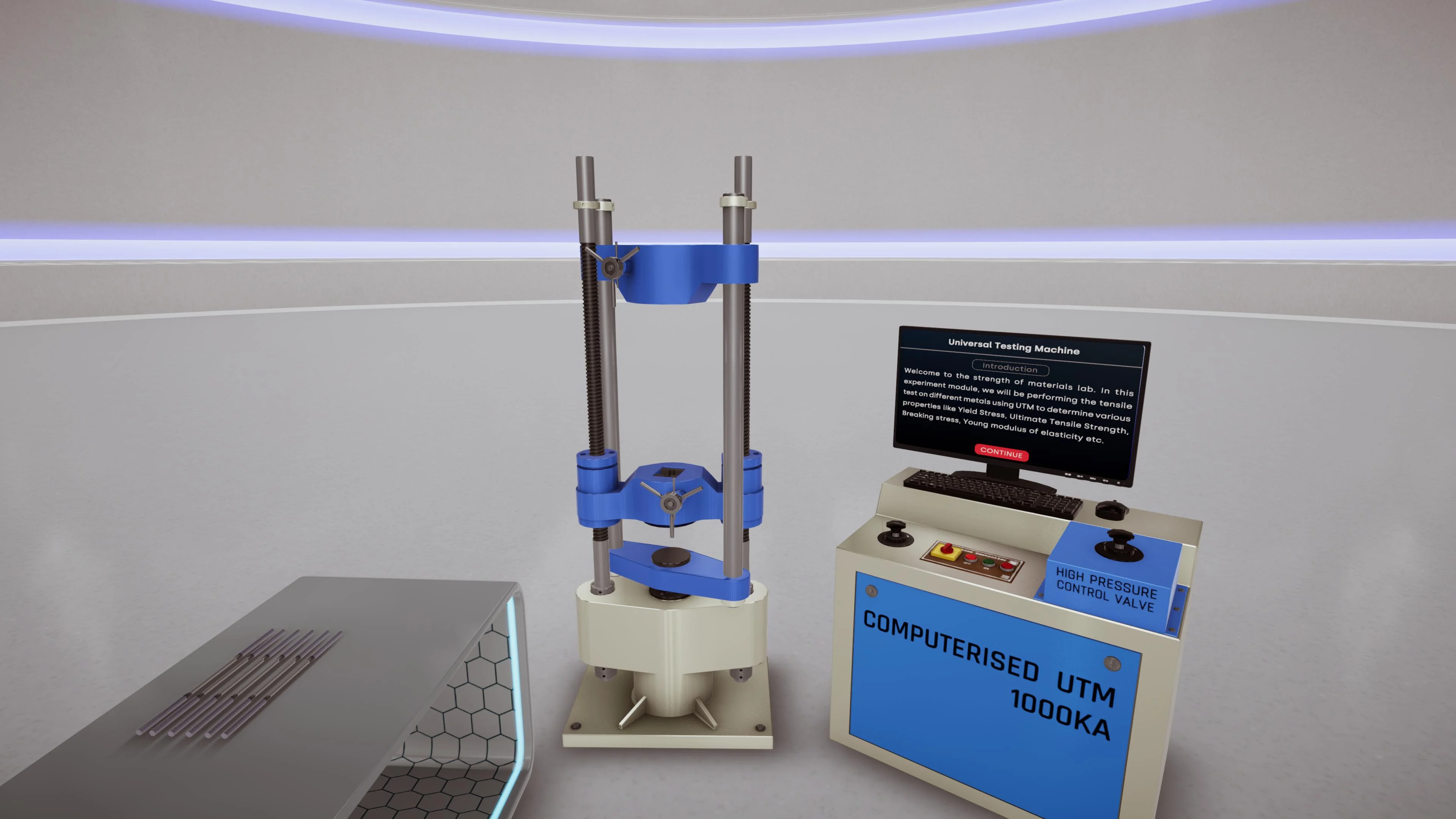
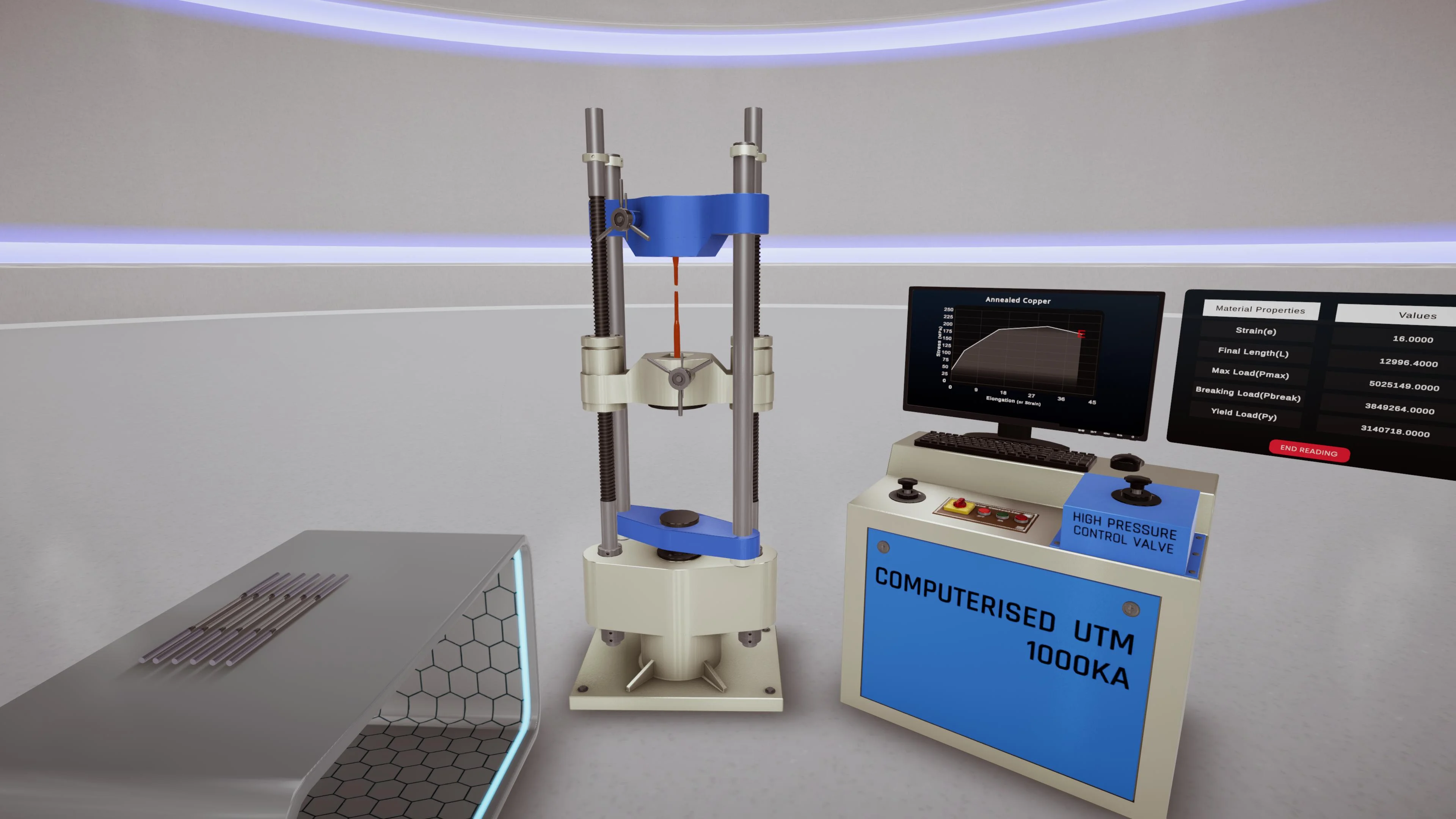
Run a dynamic tensile test in a virtual UTM lab - create a specimen, pick a material, pull it to failure, and read the stress–strain curve, all driven by first-principles material data.
See it
Module media.
Learning objectives
By the end of this module, students will be able to:
Understand the working of a Universal / tensile testing machine
Prepare and mount a virtual test specimen in the grips
Select different engineering materials and compare their tensile behaviour
Observe load, elongation, stress, strain, yielding, necking, and fracture
Calculate and interpret Young's modulus, yield strength, ultimate tensile strength, and % elongation
Read stress–strain curves for ductile, brittle, metallic, and polymeric materials
About the module
A tensile test you can run as many times as you like.
A Universal Testing Machine (UTM) measures how materials behave under tensile or compressive load. In a tensile test a specimen is pulled until it deforms and fractures, revealing stiffness, strength, ductility, elasticity, plastic deformation, and the failure point.
This is a fully dynamic experiment, not a fixed animation. Students enter a virtual materials lab, create a specimen, choose a material, position it in the grips, and start the test - watching it elongate in real time while the system calculates load, displacement, stress, and strain.
The backend uses real material datasheets and first-principles calculations, so different materials behave differently under the same conditions: ductile steel yields, strain-hardens, necks, and fractures, while a brittle material fails with little elongation. The module also recreates common lab errors - poor alignment, wrong grips, incorrect load-cell capacity, defective specimen edges - as safe, repeatable scenarios that consume no physical specimens.
The 7thi AI tutor sits alongside the whole experience, scaffolding the difficult parts and giving subject-aware answers in context. Built-in assessment lets faculty see, per student, who has grasped which concepts - without grading another paper.
ABET (United States)
Supports ABET Student Outcome 1 - engineering problem-solving in material behaviour, stress–strain analysis, and mechanical properties - and Outcome 6 through experimentation, data interpretation, and curve analysis. Detailed mapping available on request.
AICTE / NEP 2020 (India)
Maps to Strength of Materials, Materials Science, Engineering Mechanics, and Manufacturing lab outcomes, supporting experiential, simulation-led, virtual-lab learning aligned with NEP 2020.
University syllabi
We map this module to your institution's own tensile-test experiments and material-testing lab manual - course outcomes, lab rubrics, and assessment - before deployment.
NBA (India)
Maps to Course Outcomes in Strength of Materials, Materials Science, Engineering Mechanics, and the Mechanical Testing Laboratory, contributing to POs around engineering knowledge, investigation, and modern tool usage (especially PO4 and PO5).
Get this module
Included in these iXRLabs packages.
Mechanical Engineering
CoreMechanical VR modules - strength of materials, thermodynamics, machines, manufacturing, and metrology.
Complete Engineering
All disciplinesThe full engineering library - 240+ modules across mechanical, civil, and electrical, including the Universal Testing Machine.
Custom rollout
QuotePick specific modules, devices, and seat counts. We'll scope a deployment for your department.
7thi and assessment in this module
7thi in this module
Students can ask 7thi questions at any point - about stress–strain curves, yield and ultimate strength, material selection, or anything they see in the experiment. 7thi answers in context, without breaking the flow.
Assessment
Session data - concepts mastered, time per scene, assessment scores - appears on the faculty dashboard. Export to your LMS via xAPI.
Keep exploring
Related engineering modules.
What prior knowledge do students need?
A basic grasp of stress, strain, and material behaviour helps, but the module introduces the concepts as you go. Suitable for UG Year 1 and above, diploma, and polytechnic learners.
How long is a typical session?
About 45 minutes for a full run including assessment. Students can pause and resume, and faculty can assign specific parts rather than the whole module.
Can this be used in a flipped classroom?
Yes. Students complete the VR module before the lecture, so class time focuses on analysis and discussion.
Is the assessment graded automatically?
Yes. Assessment scores appear on the faculty dashboard immediately. Faculty can adjust pass thresholds and export results to their LMS.
Which headsets is this module optimised for?
Meta Quest 2 / 3 / Pro, ClassVR, Pico, and any WebXR-compatible browser. It also runs in desktop browsers without a headset. We also support the Meta XR SDK, OpenXR, and any 6DOF headset.
See the Universal Testing Machine module live in a demo.
Thirty minutes, the full module, your curriculum questions answered.