
Platform
The virtual reality platform behind every module.
A virtual reality (VR) education platform built on WebXR. AI-augmented, analytics-instrumented. Built to deploy across cohorts, devices, and networks - without the IT headache.
Why WebXR
Why we build on WebXR - and why it matters for your IT team.
WebXR is the W3C standard for delivering VR content through a browser. Unlike native VR apps, WebXR modules don't need app-store approval, device-specific builds, or MDM configuration. Students open a link - the module loads.
That simplicity is the reason iXRLabs deploys in weeks, not months. It also means every module works on every WebXR-compatible headset - Meta Quest, ClassVR, Pico - and in every modern browser (Chrome, Edge, Safari, Firefox) without a headset.
Delivery
Browser-based VR. No installs.
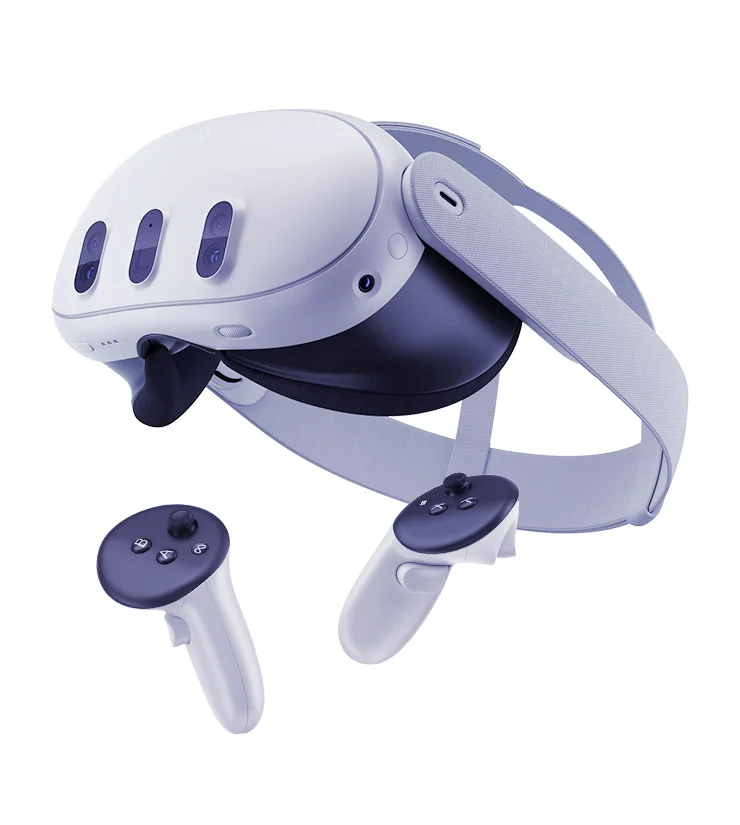
Runs on Meta Quest 2 / 3 / Pro, ClassVR, Pico, and any WebXR browser
No app store, no MDM, no per-device builds
Offline-capable for low-connectivity environments
Low-bandwidth fallback for constrained networks
Automatic updates - students always get the latest version
Intelligence
AI that knows the curriculum.
Subject-aware tutor inside every module
Faculty-configurable: tone, depth, intervention frequency
Subject-scoped - cannot be redirected off-topic
No student PII stored; faculty audit log available
Measurement
Assessment built into every module.
Per-student concept mastery, time-on-task, and assessment scores
Cohort-level analytics for faculty and department heads
xAPI and SCORM export to any LMS
Exportable reports for accreditation reviews
Architecture
How it fits together.
Integrations
Works with your existing stack.
Need an integration we don't have? Talk to us →
Compliance
Security and compliance.
Student data is encrypted in transit and at rest. Data is stored in the region you specify - US, EU, or India. No student data is used to train external models. Detailed compliance documentation is available on request.
Choose your region at contract time. Data stays in your chosen region.
Scale
Built for institutional scale.
Deployment
IT FAQ and deployment.
Everything your IT team needs to evaluate and roll out iXRLabs.
Book a technical walkthroughNetwork requirements
Standard HTTPS (port 443) per concurrent user. No VPN or special network configuration required. Content is CDN-delivered. A detailed bandwidth guide is provided during onboarding.
SSO setup
Microsoft Entra ID, Google Workspace, or SAML 2.0. Setup takes under a day with your IT team.
MDM
Not required for WebXR deployment. If using ClassVR, follow ClassVR's standard MDM guidance.
Data residency
Choose US, EU, or India at contract time. Data stays in your chosen region. Region changes are available at renewal.
Procurement and contracting
We support PO-based procurement, institutional agreements, and multi-year contracts. HECVAT and similar security questionnaires are available on request.
Common questions
Technical questions.
For a full security pack and allowlist documentation, talk to our team.
Talk to usWhat ports and domains need to be allowlisted?
Standard HTTPS (port 443) to iXRLabs CDN domains. No special ports, no VPN. A full allowlist document is provided during onboarding.
Can we self-host?
Not currently. iXRLabs is delivered as a SaaS platform via CDN. Data residency (US, EU, India) is configurable at contract time.
How is student data stored?
Encrypted in transit (TLS 1.3) and at rest (AES-256). Stored in the region you specify. No data is shared with third parties or used to train models. ISO-certified.
Do you integrate with our LMS?
Yes - Moodle, Canvas, and Blackboard via xAPI and SCORM. Google Classroom integration is available. Custom LMS integrations on request.
What is your uptime?
We target high availability with CDN-based delivery and publish a status page. Contact us for the current SLA figures for your plan.
Common questions
What institutional buyers ask first.
For procurement, IT, and pedagogy questions, our team is one demo away.
Talk to usWhat is a VR lab in higher education?
A virtual reality (VR) lab is a curriculum-aligned immersive environment where students perform experiments, operate equipment, and explore systems they could not safely or affordably access in person. iXRLabs' VR labs run in WebXR on browsers and headsets like Meta Quest and ClassVR, with no installation required.
Does VR actually improve learning outcomes?
Across 40+ partner universities and 20,000+ students trained, faculty consistently report higher engagement and clearer concept delivery compared to 2D-only instruction. The mechanism is straightforward: spatial concepts learned in 3D are retained more durably than the same concepts learned from diagrams. Institution-specific impact data is available in our case studies.
What headsets does iXRLabs support?
Any WebXR-compatible browser or headset. That includes Meta Quest 2 / 3 / Pro, ClassVR, Pico, and standard desktops with a browser-based fallback. No app installs, no app-store approvals.
Do you support institutions that don't yet have VR hardware?
Yes. All modules run in a browser without a headset, for evaluation, faculty training, and budget-constrained cohorts. Headsets enhance the experience but aren't mandatory to start.
How is iXRLabs different from Labster or other VR platforms?
Three differences: scale (240+ engineering modules versus a fraction of that at most competitors), the 7thi AI tutor inside every module (most competitors have static content), and WebXR-native delivery (no app installs, runs on ClassVR and standard headsets equally).
How is student data handled?
iXRLabs is ISO-certified. Data is encrypted in transit and at rest, stored in the region you specify (US, EU, or India), and is never used to train external models. Detailed compliance documentation is available on request.
Want a technical walkthrough?
We'll show your IT team the architecture, security posture, and integration setup.